Imagine being in the middle of a crucial video call or streaming your favorite show, only to have your Wi-Fi connection drop suddenly. Frustrating, isn’t it? With the rise of smart home devices, a reliable network is no longer a luxury, but a necessity.
The intelligent technology behind modern routers creates a powerful network that blankets your home with coverage, ensuring your devices are always connected to the strongest signal.
As we increasingly rely on connected devices for our daily lives, the demand for a bulletproof Wi-Fi solution has never been more pressing. Let’s explore how you can achieve uninterrupted connectivity and enjoy a seamless smart home experience.
The Growing Problem of Smart Home Wi-Fi Disconnects
As smart homes become increasingly prevalent, the issue of Wi-Fi disconnects is growing. You’re likely no stranger to the frustration of devices losing connection or failing to respond. This isn’t just about internet outages; it’s about the reliability of your smart home network.
Why Stable Connectivity Matters for Home Automation
Stable connectivity is crucial for home automation. When your devices are connected, you can control them remotely and automate tasks. A stable Wi-Fi signal ensures that your devices respond promptly to commands. Without it, your smart home can’t function as intended.
Common Signs Your Smart Home Network Is Failing
So, how do you know if your smart home network is failing? Look out for signs like device response lag, intermittent availability in control apps, and frequent offline notifications. Certain devices may disconnect more frequently than others, indicating issues with your network’s coverage or bandwidth. A simple diagnostic checklist can help determine if your network issues are related to coverage, bandwidth, or interference.
- Check for device response lag and intermittent availability
- Monitor for frequent offline notifications
- Identify devices that disconnect more frequently
- Assess your network’s coverage and bandwidth
Understanding Smart Home Wi-Fi Technology
Understanding the intricacies of smart home Wi-Fi is crucial for a hassle-free connected experience. Smart home Wi-Fi technology is designed to provide a robust and reliable connection for all your devices.
Differentiating Smart Wi-Fi from Traditional Networks
Smart Wi-Fi differs significantly from traditional networks due to its advanced features and capabilities. Unlike conventional Wi-Fi, smart Wi-Fi utilizes artificial intelligence to optimize network performance and ensure a stable connection.
The Intelligence Behind Adaptive Wi-Fi Systems
Adaptive Wi-Fi systems employ sophisticated algorithms to continuously analyze signal strength, interference patterns, and device behavior. This intelligence enables the network to anticipate usage patterns and preemptively optimize connections, ensuring a seamless experience.
- Explore the artificial intelligence algorithms that power modern adaptive Wi-Fi systems for smart homes
- Detail how these systems continuously analyze signal strength, interference patterns, and device behavior
- Explain how machine learning helps the network anticipate usage patterns and preemptively optimize connections
- Discuss the automated channel selection and frequency optimization that happens invisibly to users
- Highlight how these systems collect performance data to make ongoing improvements through firmware updates
The smart Wi-Fi system offers a product that is designed to meet the evolving needs of smart home devices, providing a reliable and efficient network.
Why Your Smart Devices Keep Disconnecting
Understanding the reasons behind smart device disconnections is crucial for maintaining a reliable smart home network. Several factors contribute to this issue, including signal interference, router placement, and bandwidth limitations.
Signal Interference Culprits in Modern Homes
Signal interference from various devices is a common cause of smart device disconnections. Devices such as cordless phones, microwaves, and neighboring Wi-Fi networks can disrupt your smart home’s Wi-Fi signal. To minimize interference, consider switching devices to different frequencies or updating your router to one that can handle interference better.
Router Placement Mistakes to Avoid
The placement of your router significantly affects your smart devices’ connectivity. Avoid placing your router in enclosed spaces or near other electronic devices that could cause interference. Instead, place it in a central location in your home to ensure optimal coverage.
Bandwidth Limitations and Device Overload
Bandwidth limitations can also cause smart devices to disconnect. When multiple high-demand devices are connected to your network, they can consume available bandwidth, leaving critical smart home devices without the necessary connection. Consider upgrading your internet plan or using a Quality of Service (QoS) feature to prioritize critical devices.
To manage bandwidth effectively, it’s essential to understand how it’s distributed among your devices. The following table illustrates how different activities affect bandwidth allocation:
| Activity | Bandwidth Requirement | Impact on Smart Devices |
|---|---|---|
| Video Streaming | High | May cause disconnections if bandwidth is limited |
| Gaming | High | Can lead to network congestion |
| Video Conferencing | Medium to High | Competes with smart devices for bandwidth |
| Smart Home Functions | Low to Medium | Should be prioritized to ensure reliability |
By understanding these factors and implementing strategies to mitigate them, you can significantly reduce the occurrence of smart device disconnections and enjoy a more reliable smart home experience.
Essential Features for a Reliable Smart Home Wi-Fi System
Building a smart home starts with a reliable Wi-Fi network. A robust Wi-Fi system is essential for connecting and controlling your devices seamlessly. To achieve this, you need to focus on key features that enhance performance and reliability.
Mesh Network Technology Explained
Mesh network technology uses multiple nodes to create a web of interconnected Wi-Fi access points. This ensures comprehensive coverage throughout your home, eliminating dead zones and providing a strong, stable connection.
Dual-Band vs. Tri-Band Capabilities
Dual-band routers offer two separate frequency bands, while tri-band routers provide three. Tri-band routers can handle more devices simultaneously, reducing congestion and improving overall network performance. This is particularly beneficial for large homes or those with numerous smart devices.
Smart QoS (Quality of Service) Management
Smart QoS management allows you to prioritize critical devices and applications. Advanced QoS systems automatically identify and prioritize critical smart home traffic, ensuring that your security systems remain uninterrupted.
Intelligent traffic management prevents entertainment devices from overwhelming security systems. Application-aware QoS recognizes specific services and allocates bandwidth accordingly. Dynamic QoS adjusts priorities based on actual usage patterns, ensuring optimal performance.
To configure QoS settings for optimal smart home performance, you should identify critical devices, allocate appropriate bandwidth, and monitor your network’s performance regularly. This ensures that your smart home devices operate smoothly and efficiently.
Top Wi-Fi Routers for Smart Home Reliability

When it comes to smart homes, a reliable Wi-Fi connection is no longer a luxury, it’s a necessity. To support multiple devices, you’ll need a robust Wi-Fi system. Here, we compare top Wi-Fi routers designed for smart home reliability.
High-Performance Single Router Options
For smaller homes or apartments, a single router can be sufficient. The TP-Link Archer AX6000 offers excellent performance and coverage. With its advanced smart Wi-Fi features, it can handle multiple devices with ease.
Mesh Systems for Larger Homes
For larger homes, mesh Wi-Fi systems are the way to go. Top products like eero, Google Nest, and Netgear Orbi offers reliable coverage throughout your home. These systems are designed to be expandable, making them perfect for growing smart homes.
Wi-Fi Extenders: When and How to Deploy Them
A Wi-Fi extender can be a game-changer for homes with persistent Wi-Fi issues. By amplifying your existing Wi-Fi signal, these devices ensure a strong and reliable connection throughout your home.
Signs You Need a Wi-Fi Extender
If you’re experiencing frequent disconnections or slow internet speeds in certain areas of your home, it may be time to consider a Wi-Fi extender. Common signs include buffering during video streaming or difficulties connecting devices.
Placement Strategies for Maximum Coverage
To maximize coverage, place your Wi-Fi extender in a location where it receives a strong signal from your main router. Avoid common placement mistakes that can create interference or signal overlap. Using signal strength indicators during setup can help you find the ideal location.
Smart Home Wi-Fi Management Apps
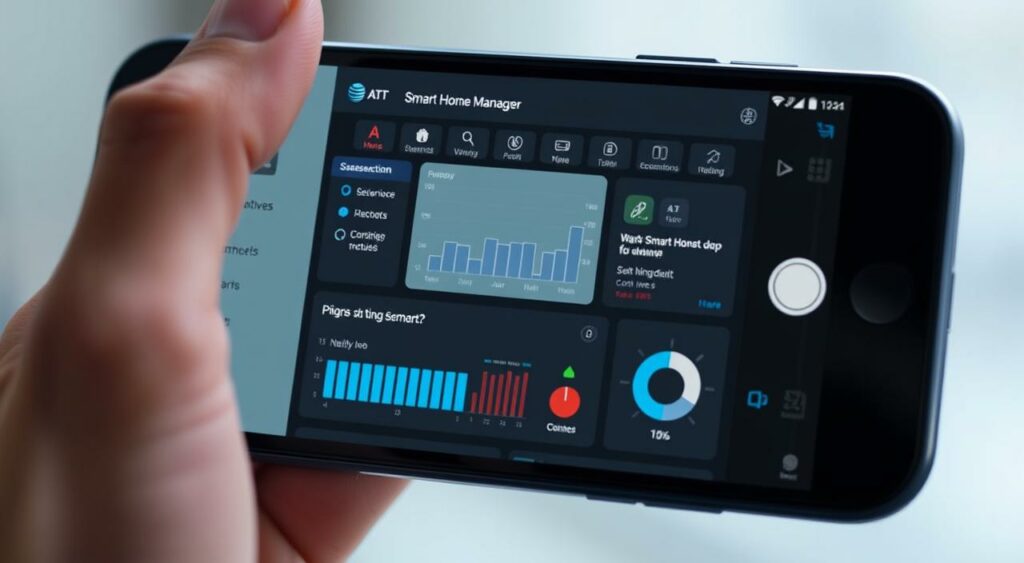
With the rise of smart devices, Wi-Fi management apps have become essential for maintaining a stable and secure home network. These apps offer a range of tools and features that help you manage your devices, monitor network performance, and troubleshoot issues.
Key Features to Look For
When selecting a Wi-Fi management app, there are several key features to look for. These include network visualization tools that help you understand your device connection quality and identify potential issues. Built-in speed testing is another crucial feature, allowing you to assess your internet speed and troubleshoot problems.
Additionally, look for apps that offer historical performance tracking, which helps in identifying patterns in network problems. Notification systems that alert you to offline devices or potential security concerns are also vital.
Resolving Connection Issues
Wi-Fi management apps are designed to help you identify and resolve connection issues. They provide app-based diagnostic tools that guide you through troubleshooting common problems. By using these tools, you can often resolve connectivity issues without needing professional assistance.
For instance, the AT&T Smart Home Manager app allows you to manage screen time and user access, track data usage by device, and invite guests via QR code, text, or email. It also enables you to test your internet speed, providing insights into your network’s performance.
By leveraging these features, you can maintain a robust and reliable smart home Wi-Fi network, ensuring that all your devices stay connected and function optimally.
Optimizing Your Network for Different Smart Devices
With the increasing number of smart devices in homes, ensuring your Wi-Fi network is optimized is more important than ever. As you add more devices, from streaming products to security cameras, your network must efficiently manage the increased demand.
Priority Settings for Critical Devices
Setting priorities for your devices ensures that critical systems, like security cameras and door locks, maintain connectivity even during peak usage times. Advanced routers offers Quality of Service (QoS) settings that allow you to allocate bandwidth based on device priority.
Balancing Bandwidth Between Entertainment and Security Devices
Entertainment devices, such as smart TVs and gaming consoles, compete with security devices for bandwidth. To balance these needs, you can configure your router to allocate sufficient bandwidth to critical devices while still supporting streaming and gaming. For instance, you can switch to a tri-band router that can handle multiple devices simultaneously without a significant drop in performance.
| Device Category | Bandwidth Allocation | Priority Level |
|---|---|---|
| Security Devices | High | Critical |
| Entertainment Devices | Medium | Normal |
| IoT Devices | Low | Low |
By optimizing your Wi-Fi network for different smart devices, you can ensure a seamless and efficient smart home experience. Advanced routers and smart network management tools make it easier to manage your devices and maintain a stable connection.
Security Considerations for Smart Home Networks
Protecting your smart home devices from cyber threats is essential. As you connect more devices to your network, the potential vulnerabilities increase, making robust security measures a necessity.
Protecting Your Connected Devices from Vulnerabilities
To safeguard your smart home, it’s crucial to understand the potential entry points for cyber threats. Advanced smart home routers offer premium security features, including automatic threat detection and intrusion prevention systems. These features help protect your network from unauthorized access and malicious activities.
For instance, some internet service providers offer advanced security packages, such as AT&T’s security features for $7/mo. plus tax, which include VPN at Home, ID Monitoring, and Advanced Content Controls. These services can significantly enhance your network’s security.
Advanced Security Features Worth Investing In
Investing in advanced security features can provide comprehensive protection for your smart home network. Some key features to consider include:
- VPN integration to secure your entire network
- Subscription security services for ongoing protection and monitoring
- Encrypted communications for sensitive smart home functions
A comparative analysis of various security features is presented in the table below:
| Security Feature | Description | Benefits |
|---|---|---|
| VPN Integration | Secures internet connection | Protects data, enhances privacy |
| Threat Detection | Identifies potential threats | Prevents cyber attacks |
| Encrypted Communications | Secures data transmission | Protects sensitive information |
As emphasized by cybersecurity experts, “A secure smart home network is not just about protecting devices, but also about safeguarding the data they handle.”
“The future of smart home security lies in proactive, AI-driven threat detection and prevention.”
By prioritizing security and investing in advanced features, you can ensure a robust and reliable smart home network.
Setting Up Guest Networks for Smart Homes
A guest network is an essential feature for smart homes, providing visitors with internet access without compromising your primary network’s security. This separate network ensures that your main Wi-Fi network remains secure and private.
Benefits of Separate Networks for Visitors
Having a dedicated guest network offers several advantages. It prevents visitors from accessing your main network, which may contain sensitive information and connected devices. Moreover, it helps to manage the number of devices connected to your primary network, reducing potential Wi-Fi congestion.
Easy Ways to Share Access Without Compromising Security
You can share your guest network access with visitors through various methods, including QR codes, text messages, and emails. Some product offers even allow you to create a customized guest network name that’s easily identifiable to your guests.
| Method | Description | Security Level |
|---|---|---|
| QR Code | Guests scan a QR code to join the network | High |
| Temporary Password | Guests use a temporary password to access the network | Medium |
| Email/Text Invite | Guests receive an invite via email or text to join the network | High |
By configuring a guest network, you can set time limits and usage restrictions for different types of visitors, ensuring that your network remains secure and performs optimally.
Troubleshooting Persistent Wi-Fi Issues
To tackle persistent Wi-Fi issues, you’ll need to employ a step-by-step troubleshooting guide. This process involves identifying the root cause of the problem and applying the appropriate fix.
Diagnostic Tools to Identify Connection Problems
Diagnostic tools are crucial for pinpointing Wi-Fi issues. Utilize your router’s built-in diagnostic features or third-party apps to analyze signal strength, channel congestion, and device connectivity. These tools help you understand the health of your Wi-Fi network.
| Diagnostic Tool | Purpose | Benefit |
|---|---|---|
| Router Logs | Record network events | Identify recurring issues |
| Wi-Fi Analyzer Apps | Analyze channel usage | Optimize channel selection |
| Network Scanners | Detect connected devices | Identify potential intruders |
Step-by-Step Resolution Process for Common Issues
Once you’ve identified the problem, follow a systematic resolution process. Start by restarting your router, then check for firmware updates, and adjust configuration settings as needed. If issues persist, consider isolating problematic devices or performing a factory reset on your router.
- Restart your router to clear temporary glitches.
- Update firmware to ensure you have the latest features and security patches.
- Adjust configuration settings to optimize performance.
- Isolate devices causing issues to prevent network-wide problems.
By following this structured approach, you can effectively troubleshoot and resolve persistent Wi-Fi issues, ensuring a stable and reliable connection for all your devices.
Future-Proofing Your Smart Home Wi-Fi
Future-proofing your smart home Wi-Fi is crucial for maintaining a reliable and efficient network. As technology advances, your network needs to be able to adapt to new devices and standards.
Upcoming Wi-Fi Standards and Their Benefits
The latest Wi-Fi standards, such as Wi-Fi 6 and Wi-Fi 7, offer significant improvements in speed, capacity, and efficiency. These standards are designed to handle the increasing number of devices in smart homes, providing a more reliable and faster network. For instance, Wi-Fi 6 introduces Orthogonal Frequency Division Multiple Access (OFDMA), which enhances the network’s ability to handle multiple devices simultaneously.
Scalability Considerations as You Add More Devices
To future-proof your smart home Wi-Fi, it’s essential to consider scalability. This involves planning your network architecture to accommodate growing device numbers and understanding the concept of network saturation. You should calculate your router’s practical device limit and consider investing in expandable systems that allow adding access points as needed.
The Matter standard is also playing a crucial role in enhancing smart home interoperability and network management, making it easier to integrate new devices into your network.
By understanding these factors and planning accordingly, you can create a smart home Wi-Fi network that is both reliable and adaptable to future technologies.
Cost vs. Performance: Finding the Right Balance
Achieving a balance between cost and performance is crucial when setting up a smart home Wi-Fi network. As you build your network, you’ll encounter various options that promise different levels of performance at varying price points.
To make an informed decision, it’s essential to understand the features that justify higher costs and those that can be compromised on without sacrificing reliability.
Budget-Friendly Solutions That Don’t Sacrifice Reliability
For those on a budget, there are several affordable Wi-Fi solutions that still offer reliable performance. Mesh network systems, for instance, can provide comprehensive coverage without breaking the bank. Brands like TP-Link and Netgear offer budget-friendly mesh systems that are highly rated for their performance and value.
| Product | Price Range | Key Features |
|---|---|---|
| TP-Link Deco M9 | $150-$250 | Whole-home mesh coverage, tri-band, MU-MIMO |
| Netgear Orbi RBKE963 | $250-$350 | High-speed tri-band, 4×4 Wi-Fi 6, MU-MIMO |
| Google Nest Wifi | $200-$300 | Mesh network, AC2200, Google Assistant integration |
When Premium Features Justify the Higher Price
Premium Wi-Fi equipment often comes with advanced features that significantly enhance your smart home network’s reliability and performance. Tri-band operation, for example, can reduce congestion and improve overall network efficiency, especially in households with numerous devices. While premium products come at a higher cost, they offer long-term benefits such as reduced need for frequent upgrades and improved future-proofing.
When evaluating premium features, consider your specific needs. If you have a large home or a high number of devices, investing in a premium Wi-Fi system that offers advanced features like Quality of Service (QoS) and robust security can be justified.
Professional Installation vs. DIY Setup
When it comes to setting up a smart home Wi-Fi system, homeowners often face a crucial decision: whether to opt for professional installation or take the DIY route. Both options have their advantages and disadvantages, which are discussed below.
When to Call in the Experts
If you’re not tech-savvy or have a large home with complex networking needs, it’s wise to consider hiring a professional to install your smart Wi-Fi system. Experts can assess your home’s layout and provide a tailored solution, ensuring optimal wifi coverage.
Self-Installation Tips for the Tech-Savvy Homeowner
For those confident in their technical abilities, DIY installation can be a cost-effective option. Start by conducting a site survey using your phone and a Wi-Fi scanning app to identify the best locations for your routers or mesh network product offers.
To avoid common pitfalls, carefully follow the manufacturer’s instructions, and consider the specific needs of your smart devices. Testing your network after installation is crucial to ensure it meets your performance expectations.
Real User Experiences: Success Stories in Eliminating Wi-Fi Disconnects
Real user experiences show that a reliable Wi-Fi connection is achievable with the right smart home setup. Many have transformed their smart home networks from frustrating to flawless.
Before and After Scenarios from Smart Home Enthusiasts
Users have reported significant improvements after upgrading their Wi-Fi infrastructure. For instance, one user switched to a mesh network system, eliminating dead zones and reducing disconnects by 90%.
Lessons Learned from Network Upgrades
Key takeaways from these upgrades include the importance of product compatibility and the benefits of offers that bundle devices for seamless integration. Users also emphasize the value of creating a profile for network management, allowing for more precise control over connected devices.
As one expert notes, “
A well-designed Wi-Fi network is the backbone of a successful smart home. It’s not just about coverage; it’s about reliability and performance.
Creating Your Bulletproof Smart Home Wi-Fi Action Plan
Having covered the essentials of smart home Wi-Fi, it’s now crucial to formulate a plan that suits your specific needs and environment. To start, assess your current Wi-Fi situation and identify areas for improvement.
A phased approach will help you achieve immediate benefits while working towards optimal performance. Consider your home automation devices and the layout of your home when creating your plan. By doing so, you’ll be able to switch to a more reliable smart Wi-Fi system.
To maintain your network, regularly check for updates and monitor your device connections. With a solid plan in place, you’ll enjoy a seamless smart home experience, with access to all your connected devices and a strong smartphone connection.
FAQ
What is the best way to improve my Wi-Fi signal throughout my house?
To improve your Wi-Fi signal, consider using a Wi-Fi extender or a mesh network system to boost coverage. You can also optimize your router’s placement to a central location.
How do I manage my smart devices on my network?
You can manage your devices using a network management app, which allows you to monitor and control device activity, prioritize traffic, and identify connection issues.
What is the difference between dual-band and tri-band routers?
Dual-band routers operate on two frequency bands, while tri-band routers operate on three, providing more bandwidth and reducing congestion. Tri-band routers are ideal for larger homes with many devices.
How can I secure my network from vulnerabilities?
To secure your network, use a strong password, enable WPA3 encryption, and keep your router’s firmware up to date. You can also use a guest network to isolate visitors from your main network.
What is Quality of Service (QoS) and how does it help my network?
QoS is a feature that prioritizes traffic to critical devices, ensuring a stable connection for essential applications, such as video streaming or online gaming.
Can I use a Wi-Fi extender with my existing router?
Yes, you can use a Wi-Fi extender with your existing router to boost coverage. However, ensure the extender is compatible with your router’s frequency band.
How do I troubleshoot persistent Wi-Fi issues?
To troubleshoot Wi-Fi issues, use diagnostic tools to identify connection problems, restart your router, and check for firmware updates. You can also consult your router’s documentation or contact the manufacturer’s support.